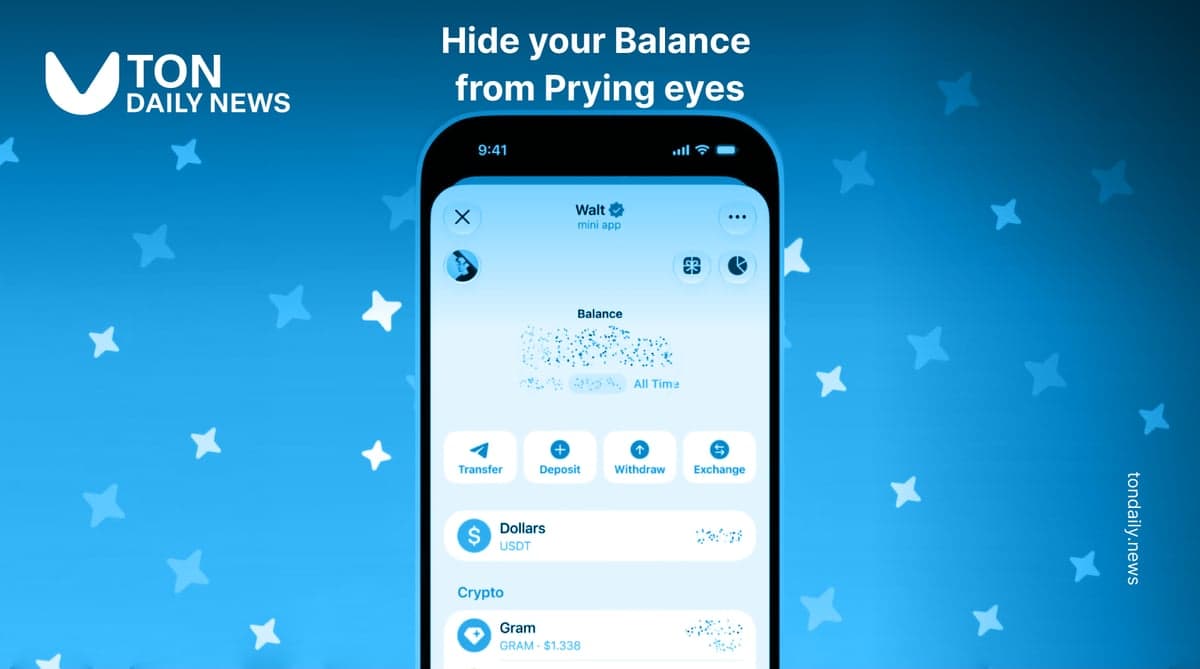
Crypto Wallet Privacy Gets Easier With New One-Tap Balance Hiding Feature
Sharing a cryptocurrency wallet screen can sometimes reveal more personal information than intended. Whether demonstrating how to purchase crypto, explaining a transaction to a friend, or contacting customer support, visible account balances can expose sensitive financial details.
A new privacy feature in Walt addresses this problem by allowing users to hide their wallet balances with a single tap.
The feature works directly from the home screen. Tapping the displayed balance hides both the total wallet value and individual asset amounts, while the rest of the interface remains visible.
Users can restore their balances whenever they want by tapping the balance area again.
Hide Your Entire Wallet Balance With One Tap
The new feature is designed to make everyday wallet use more private without changing the overall experience.
When activated, it hides two types of financial information:
Other interface elements remain visible, allowing users to navigate the application and demonstrate its functionality without exposing their financial holdings.
This can be particularly useful when sharing screenshots, recording tutorials, or showing someone how to use wallet features.
How to Hide Your Balance
The feature does not require a separate settings menu or complicated configuration.
Users can activate it directly from the wallet home screen:
Open Walt.
Locate the displayed wallet balance.
Tap the balance once to hide the total and individual asset amounts.
Continue using the wallet with balances concealed.
To reveal the information again, simply tap the balance area one more time.
The feature is designed for quick access, making it convenient to switch between normal and privacy-focused viewing.
Why Balance Privacy Matters in Crypto
Cryptocurrency wallets often contain sensitive financial information. When users share their screens, take screenshots, or request assistance, visible balances can unintentionally reveal the size of their holdings.
A balance-hiding feature provides an additional layer of privacy in these situations.
Some practical use cases include:
Customer support: Share wallet screenshots without displaying asset amounts.
Tutorials: Demonstrate how to use wallet functions without revealing personal holdings.
Screen sharing: Walk someone through a transaction while keeping balances concealed.
Social sharing: Show the wallet interface without exposing financial information.
These small usability improvements can make cryptocurrency applications more comfortable to use in everyday situations.
A Simple Addition to the Wallet Experience
Privacy features do not always need to involve complex security settings. Sometimes, a simple interface control can help users avoid exposing information unintentionally.
The new balance-hiding option focuses on convenience: one tap conceals financial amounts, and another restores them.
However, it is important to understand that hiding balances on screen is a visual privacy feature, not a replacement for account security. It does not necessarily protect information visible through notifications, other applications, screen recordings, or account access.
Users should continue following good security practices when sharing devices or screenshots.
Conclusion: More Control Over What Others Can See
The new one-tap balance-hiding feature gives Walt users more control over the financial information displayed on their home screen.
Whether sharing a tutorial, contacting support, or simply using the wallet around other people, users can now conceal their total balance and individual asset amounts without hiding the rest of the interface.
It is a small but practical improvement that makes everyday wallet interactions more privacy-conscious.
Official Website